Licensing the IDScan.net Authentication SDK
The IDScan.net Authentication SDK is licensed via two ways:
- Serial Number
- JSON File
Depending on the licensing method used, the serial number or the JSON file will be provided to you from the IDScan.net team.
Some licenses are licensed by Hardware ID, which means that the license is tied to the specific hardware of the machine running the ASDK Host application. In this case, the serial number or JSON file provided will be specific to the machine's hardware and cannot be used on another machine. (Unless more Hardware IDs are avaialble for the same license)
Licenses can be found at the IDScan.net Web Portal
Licensing with Serial Number
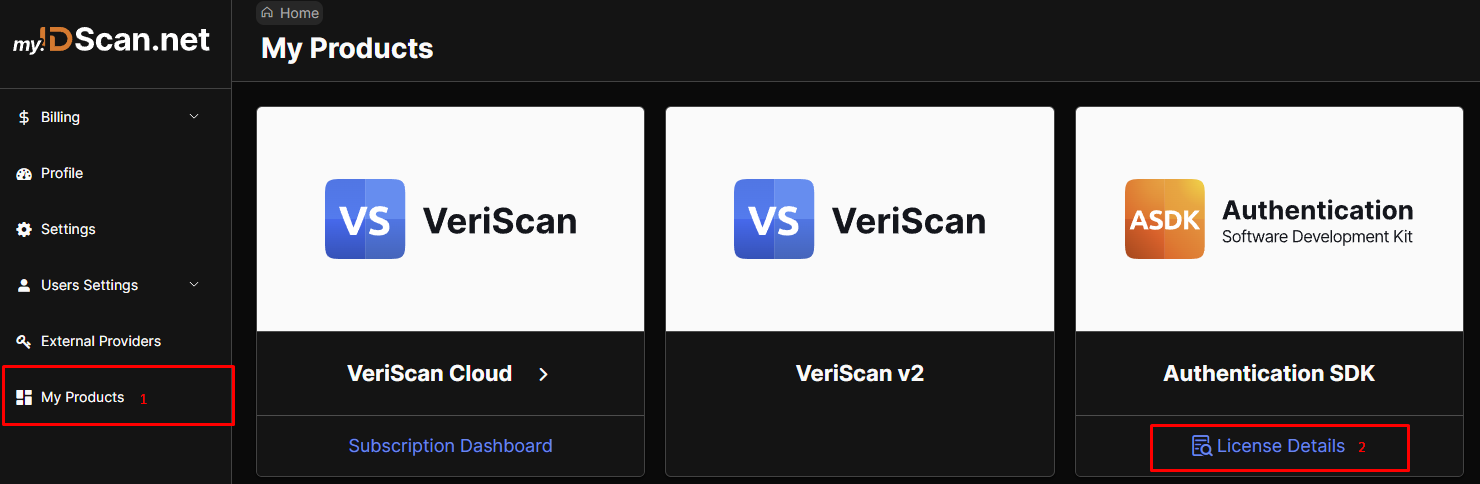
Step 1: Navigate to the License Details.
First you will need to select the "Authentication SDK" product from the list of products on the left side of the web portal. Then select the "License Details" option.
Step 2 : Select the right Order

Step 3 : Copy the Serial Number
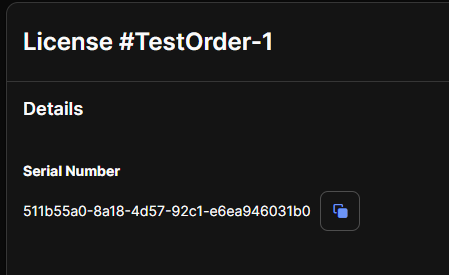
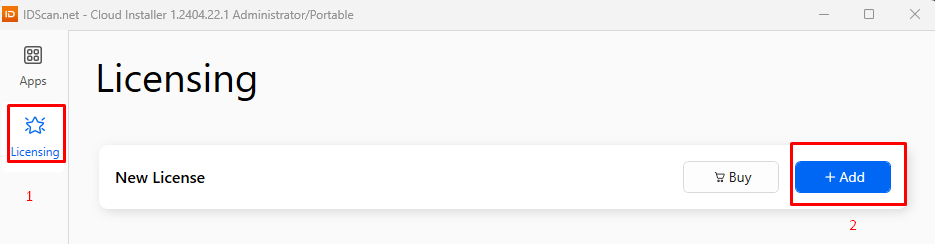
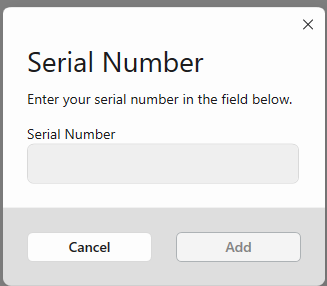
Step 4 : Attach the Serial Number
Cloud Installer:
CMD Line Installer:
{CmdLine Installer} license add <serial number>
Your machine is now licensed to run the ASDK Host application.
Licensing with JSON File
Step 1 : Navigate to the License Details.
First you will need to select the "Authentication SDK" product from the list of products on the left side of the web portal. Then select the "License Details" option.
Step 2 : Select the right Order
Step 2.5 : Attach the Hardware ID (if necessary)
If your license does NOT have a Hardware ID limitation, you can download the JSON file directly from the web portal. This step can be skipped and you can proceed to step 3.
If your license has a Hardware ID limitation, you will need to provide the Hardware ID of the machine running the ASDK Host application to the Order.
CMD Line Installer :
To find the Hardware ID of your machine, you can run the following command in Command Prompt:
{CmdLine Installer} license view
This will return the Hardware ID:
Hardware Fingerprint: 8JnA794MDeZ25Njs6yFDzdisRzc=
Then you can run the following command to attach the Hardware ID to the Order:
{CmdLine Installer} license attach <serialnumber>
Where <serialnumber> is the serial number of the Order from the web portal.
Cloud Installer :
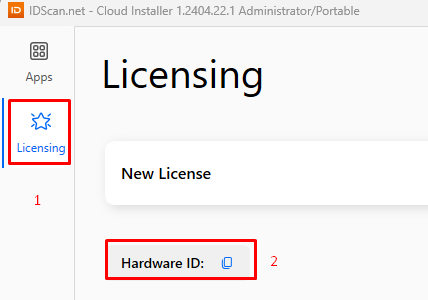
Then you will need to add this Hardware ID to the Order through the web portal by selecting the "Attach Hardware ID" option and entering the Hardware ID in the pop up.
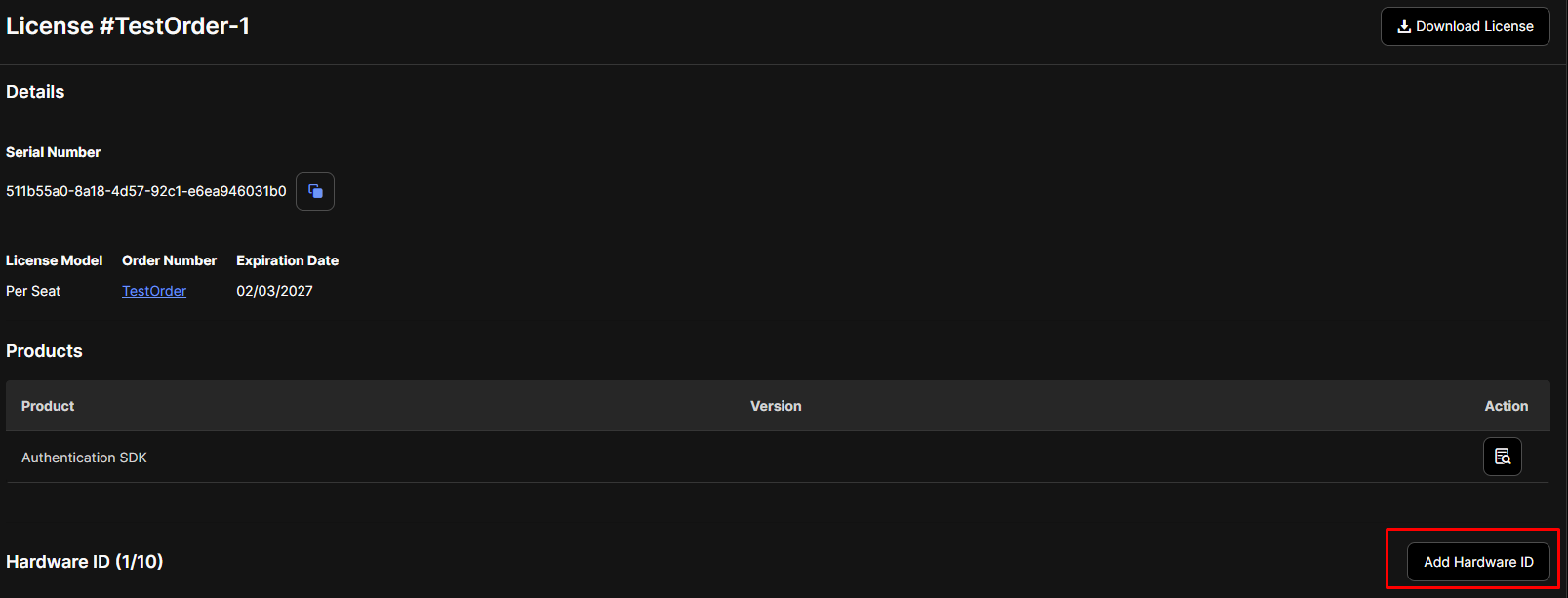
Step 3 : Download the JSON file

Step 4 : Attach the JSON file
CMD Line Installer :
{CmdLine Installer} license add <license file>
Cloud Installer :
Your machine is now licensed to run the ASDK Host application.