Submitting Passport Documents to the DIVE API
The DIVE API will accept any Passport with a two line Machine Readable Zone(MRZ). Submitting a Passport is different than submitting a Driver's License in that there is only a single image of the document that needs to be submitted.
Trackstring Data
For a passport the trackstring data will come from the front step (again because only that step is needed because there aren't two sides of the document being submitted). The front step will have a field called mrzText that will contain the MRZ data as a base64 encoded string. Add this field to your requests trackString field for best results.
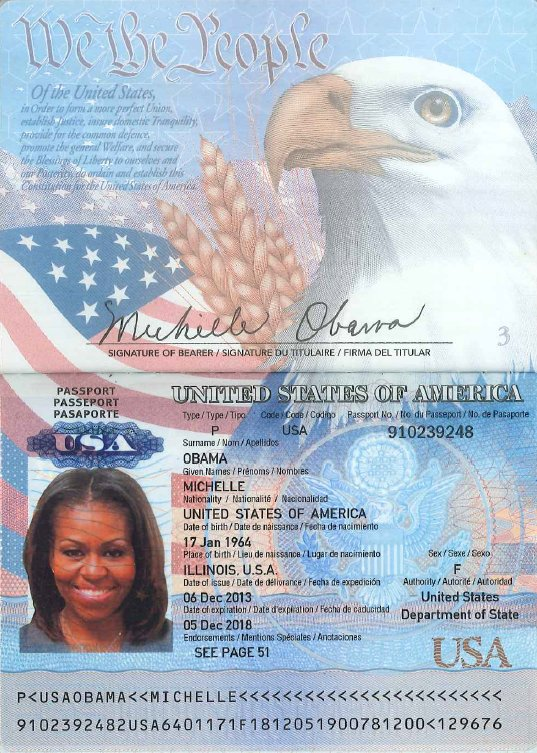
Sample Image
The single image that must be submitted must contain what is depicted below:
Sample Request
Request data:
{
  "documentType": 2,
  "verifyFace": true,
  "frontImageBase64": "string",
  "backOrSecondImageBase64": null,
  "faceImageBase64": "string",
  "trackString": "string",
  "userAgent": "Mozilla/5.0 (Windows NT 10.0; Win64; x64) AppleWebKit/537.36 (KHTML, like Gecko) Chrome/87.0.4280.88 Safari/537.36",
  "captureMethod": "11"
}