DIVE Online Development Guide
Step 1 - Request a DIVE Online Username and Password
Email sales@idscan.net for a DIVE Online Username and Password
Step 2 - Log In to the DIVE Online Web Portal
Step 3 - Decide on Integration Path
IDScan.net defines the DIVE Online integration on three levels: "no code", "low code", and "full code."
No Code
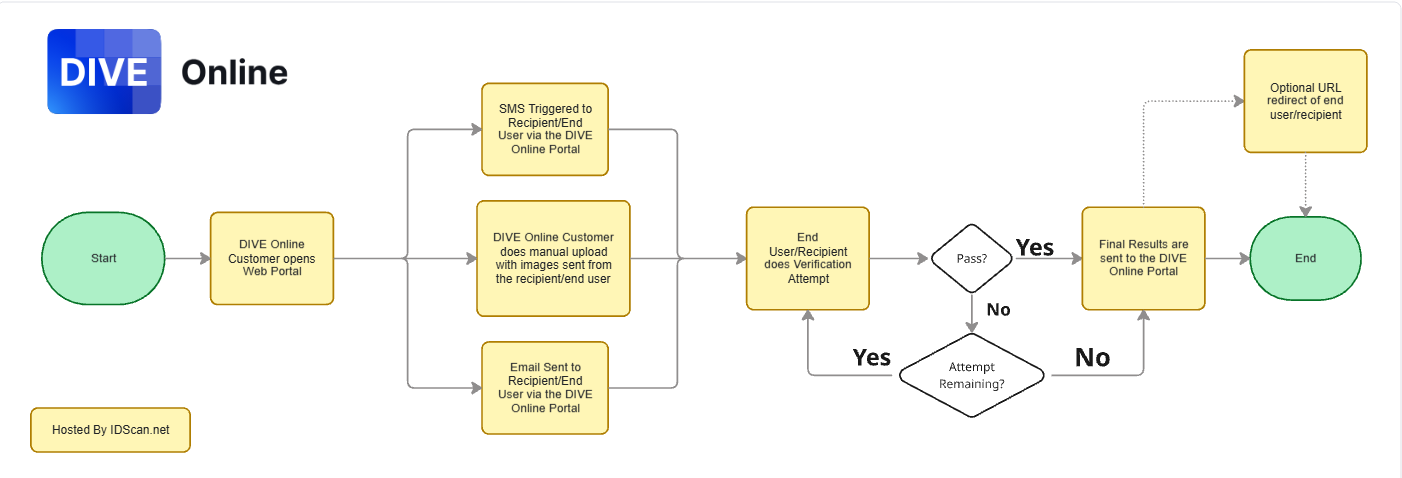
For clients who have no development staff and will be doing all verifications manually in the DIVE Online Web Portal.
The page sent via SMS/Email is hosted by IDScan.net
No Code Workflow
Low Code
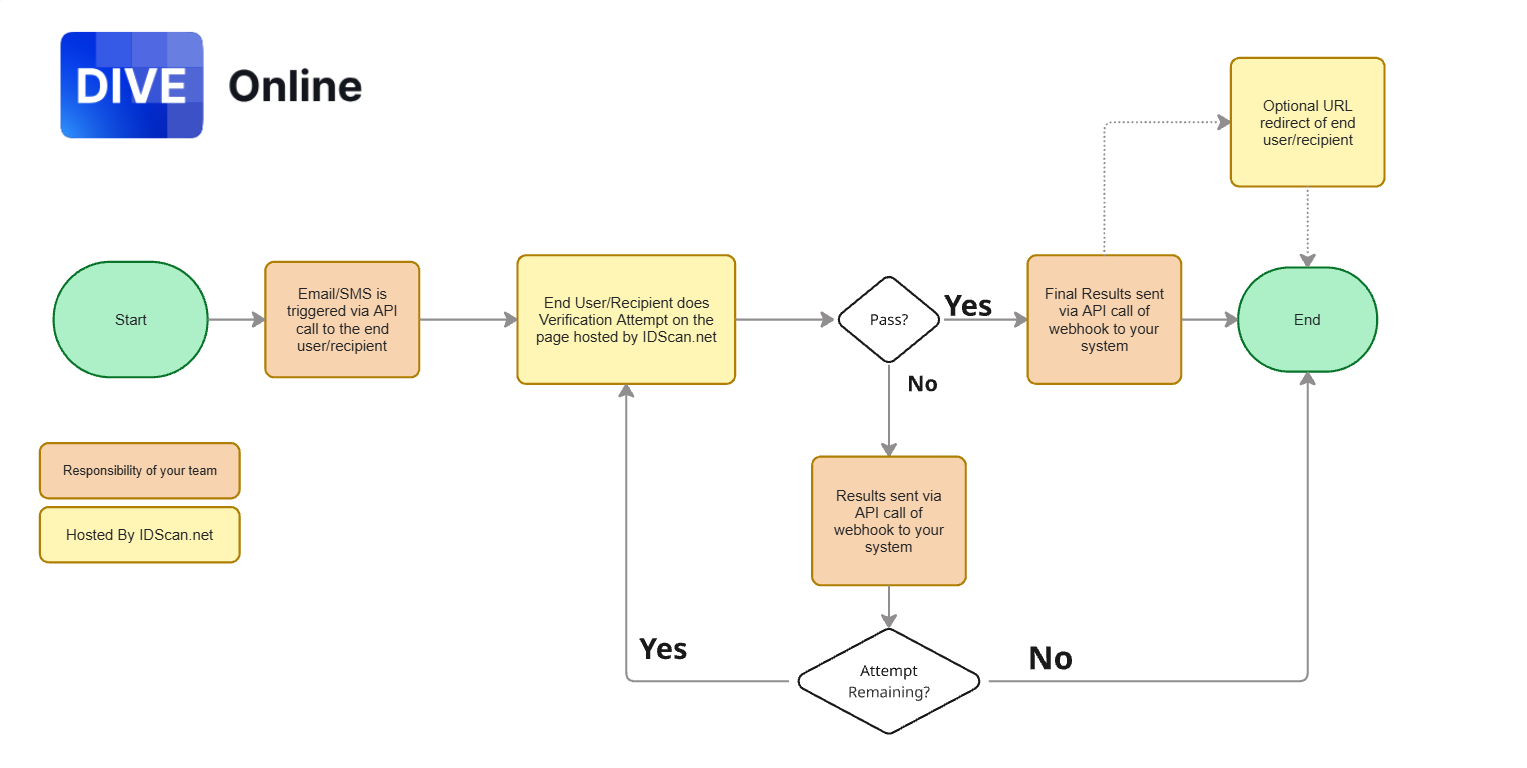
For clients who have development staff and do not want to fully embed the user journey in their applications. Instead the user flow will be initated by their application and redirected to the SMS/Email page hosted by IDScan.net.
Data would the be sent back to their application via API call and/or webhooks.
Full Code
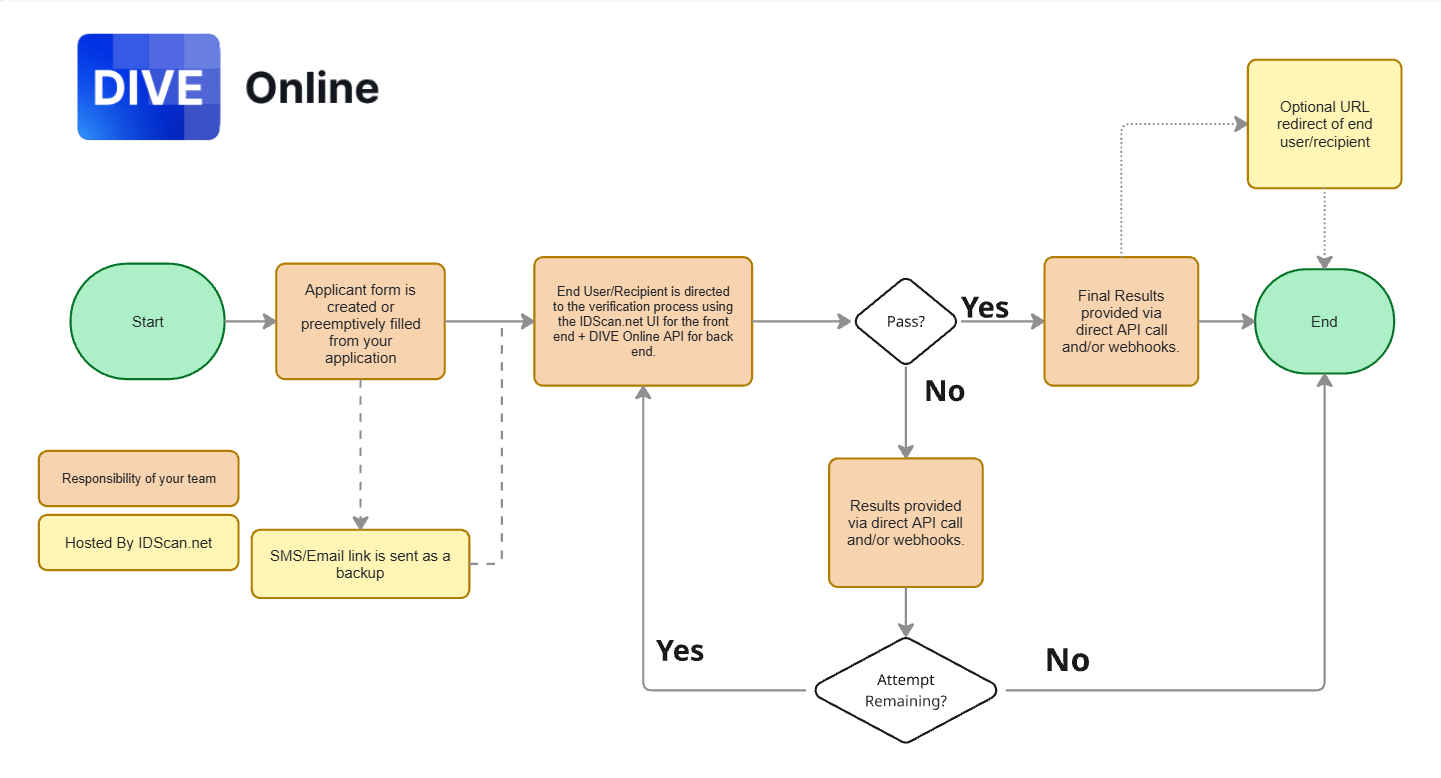
For clients who want to seamlessly embed the front end in their applications as well as all API functionality. Optionally, they can still send an SMS/Email link as backup with the page hosted by IDScan.net.