Webhooks
Webhooks allow DIVE Online to integrate with additional applications by notifying them when a verification event has completed.
1. Creating a New Webhook
Create a webhook in the DIVE Online Web Portal here
2. Click the Add Webhook button
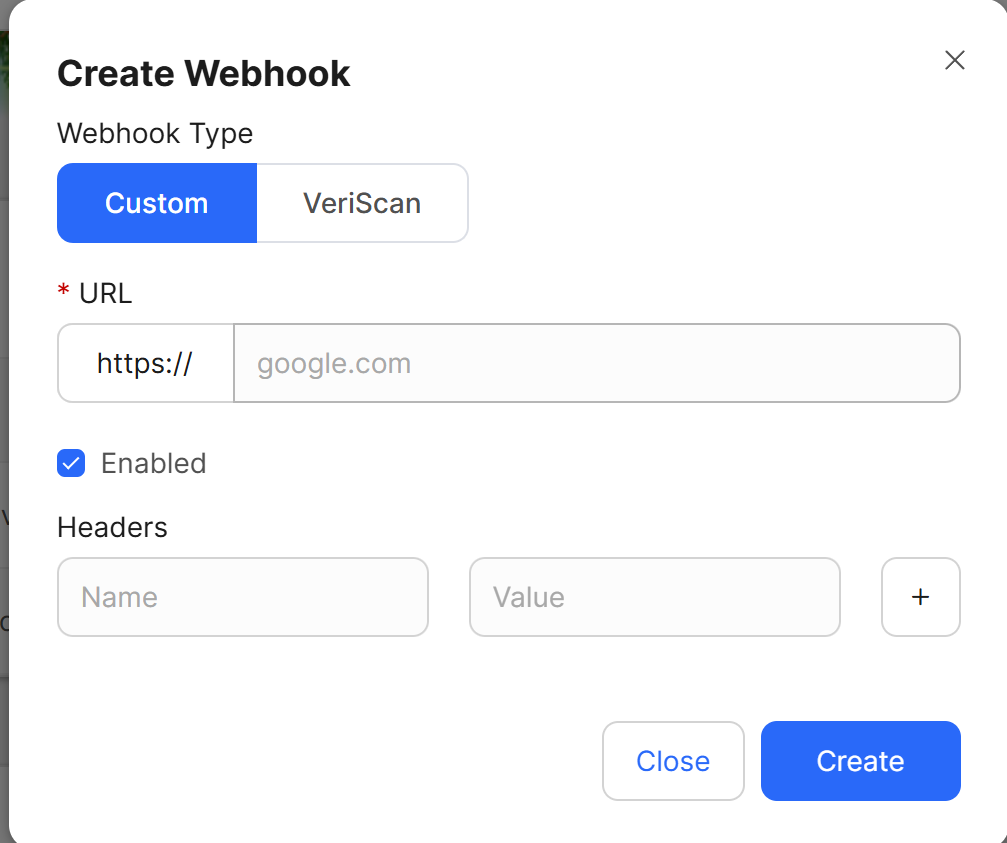
3. Choose the Webhook type
DIVE Online supports two types of Webhooks:
- VeriScan - Sends a Webhook event to the IDScan.net VeriScan application when a verification event occurs.
- Custom - Sends a Webhook event to a custom URL when a verification event occurs.
Enter the URL that the Webhook request should target when the validation event occurs. You will be able to add custom headers that will be sent along with verification data to authenticate the request being made.
Note
URL must be valid and the application must accept POST requests
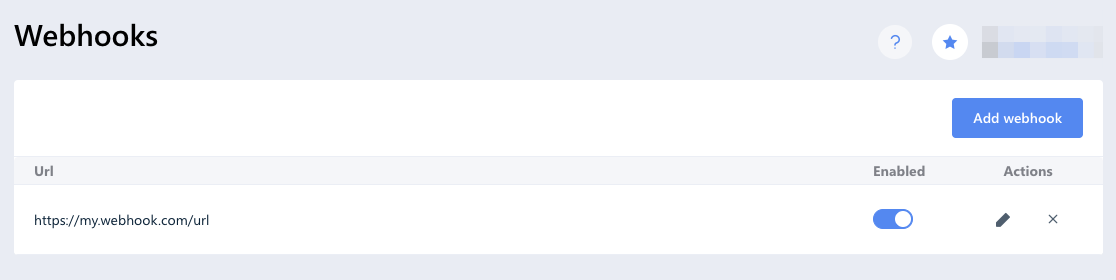
You should immediately see the newly created webhook in the list.
2. Creating request
Create a new verification request by sending an SMS/Email message to an end user.
3. Receiving data
When the verification process on the DIVE API server is complete all registered and enabled Webhooks will receive an HTTP POST request containing the verification data in the body.
Note
We have a retry policy set to 10 retries before considering a webhook endpoint unreachable.
Request example:
[POST] https://my.webhook.com/url
{
    "Id":2014,
    "Created":"2020-07-23T09:31:25.6675069Z",
    "Data":"{\"ValidationResponseId\":2024,\"ValidationRequestId\":\"f5f02a72-6bc4-4651-9eb5-08d82edcbb8d\",\"DocumentType\":1,\"Document\":{\"IDType\":\"DL\",\"Country\":\"United States\",\"AbbrCountry\":\"US\",\"Abbr3Country\":\"USA\",\"ID\":\"088720519\",\"DOB\":\"1994-08-09\",\"Issued\":\"2015-08-14\",\"Expires\":\"2021-08-09\",\"FullName\":\"POPPENHAGEN,LINDSAY\",\"PrivateName\":\"PARKER MORGAN\",\"FamilyName\":\"POPPENHAGEN\",\"City\":\"GREENWICH\",\"State\":\"CT\",\"Zip\":\"06831-5325\",\"Address\":\"15 DEARFIELD LN\",\"Class\":\"D\",\"Gender\":\"Female\",\"Height\":\"5'05\\\"\",\"Eyes\":\"Green\",\"Hair\":null,\"Weight\":null,\"Template\":\"US_OH3\",\"FirstName\":\"LINDSAY\",\"MiddleName\":\"MORGAN\"},\"AttemptsLeft\":14,\"Status\":1,\"ValidationStatus\":{\"Expired\":false,\"DocumentIsValid\":false,\"FaceIsValid\":true},\"InvalidDataErrors\":null}",
    "EventType":1
}
Id– identifier of the current webhook event. It is unique for every validation requestCreated– webhook event creation dateData– contains JSON formatted data with parsed document data and validation resultEventType– indicates type of the event connected with the validation result- 0 - Success. Document passed checks
- 1 - Fail. Document failed one or more checks
- 2 - InvalidData. Validation request contains invalid data
- 3 - Error. Service error