ASDK Installation with the CMD Installer
Installing the ASDK CMD Installer
The command line installer available for download here
Once installed, open your command prompt and navigate to the installation directory of the installer.
You can verify the installer by running basic help commands
For Example:
{CmdLine Installer} help
Where {CmdLine Installer} is the name of the executable file for the installer. (e,g. ASDK.Installer.CmdLine.exe)
The rest of this document will refer to the executable file as {CmdLine Installer} for simplicity.
Other Products in the CMD Installer
This documentation will focus on using the CMD installer for installing, updating, and uninstalling the ASDK Host application but the installer can also be used to manage other products from IDScan.net.
- InstallerSelfUpdater : This is a product that is responsible for updating the installer itself. It ensures that the installer is always up to date with the latest features and bug fixes.
- InstallerUI : This is a product that provides a user interface for the installer. It allows users to interact with the installer through a graphical interface instead of using command line commands. Also referred to as the Cloud Installer.
- Installer : This is the core product that performs the installation, update, and uninstallation of products. It is responsible for managing the installation process and executing the necessary commands to install, update, or uninstall products.
- VSD3 : IDScan.net's VeriScan product.
- ASDK.Host : The ASDK Host application that allows you to utilize the features of the ASDK application. It is a required component for using the ASDK application and must be installed in order to use the ASDK SDK.
Usage
The command line installer follow standard command line syntax and can be used to perform installation, updates, and uninstallation of the ASDK Host application.
{CmdLine Installer} [command] [options]
Where [command] is the action you want to perform (e.g. install, update, checkForUpdates, prepare) and [options] are any additional parameters needed for the command.
Options
Version
--version : show the version of the installer.
{CmdLine Installer} --version
Output Example :
2.4.0.40+ec2235007a502fce0ab8c27db93c1e4ea19d72ca
Help
-?, -h, --help : show help information for the installer or a specific command. These are interchangeable and all will provide the same help information.
{CmdLine Installer} --help
Output Example :
Description:
  ID Scan product installer

Usage:
  ASDK.Installer.CmdLine(1) [command] [options]

Options:
  --version       Show version information
  -?, -h, --help  Show help and usage information

Commands:
  i, install <product name> <product version>  Install product [, ]
  uninstall <product name>                     Uninstall product []
  update <product name> <product version>      Update product [, ]
  view <product name> <product version>        View products [, ]
  offline <product name> <product version>     Make offline installer [, ]
  repair <product name>                        Repair product []
  prepare <product name> <product version>     Prepare install [, ]
  checkForUpdates <product name>               Check updates for installed products []
  verify                                       Verify offline installer
  modify <product name>                        Modify product []
  license                                      License configuration
Commands
Install
i, install <product name> <product version>
Use Case : Installing the ASDK application for the first time. Can specifiy a specific version to install or leave blank to install the latest version available.
Options :
product name(Optional) : The name of the product you want to install (e.g. ASDK.Host)
product version Optional) : The version of the product you want to install
The product name and versions can be by found by using the view command to list all available products and versions.
Usage :
{CmdLine Installer} install ASDK.Host
{CmdLine Installer} i <product name> <product version>
or
{CmdLine Installer} install <product name> <product version
Output Example :
Blob download logs will be shown in the command prompt as the installer downloads necessary files for installation.
...
  198/466 Blob Download https://asset.cdn.idscan.net/distribute/ASDK.Host/3.28.9.1/1828C28E1C32CFF9D4A8ADE781C85D8E9E38DAD3
  199/466 Blob Download https://asset.cdn.idscan.net/distribute/ASDK.Host/3.28.9.1/3228C83FF031181A7E1B162AA95C2AE1A917F88B
  200/466 Blob Download https://asset.cdn.idscan.net/distribute/ASDK.Host/3.28.9.1/F9C8C6A94C0BFC6F977B4781D552C58BFC5D0D2E
...
Uninstall
uninstall <product name>
Use Case : Uninstalling the ASDK Host application from your machine. This command will remove all files related to the ASDK Host application and remove it from the list of installed products.
Options :
product name (Optional) : The name of the product you want to uninstall (e.g. ASDK.Host)
The product name can be by found by using the view command to list all installed products.
Important
If the uninstall command is used without specifying a product, all products will be uninstalled from the machine. Use with caution.
Usage :
{CmdLine Installer} uninstall
{CmdLine Installer} uninstall ASDK.Host
{CmdLine Installer} uninstal ASDK.Host 3.28.9.1
Output Example :
Console logs will be shown in the command prompt as the installer removes files and configurations related to the ASDK Host application.
Mode: Mixed
Product: ASDK.Host
Installed version: 3.28.8.1
Started
Properties:
  programFiles=C:\Program Files
  temp=C:\Users\username\AppData\Local\Temp
  programData=C:\ProgramData
  targetPath=C:\Program Files (x86)\IDScan.net\IDScanNet.Authentication.SDK\Host
Modules:
  ASDK.Data.Address: Enabled. The module is enabled by default.
  ASDK.Faces: Enabled. The module is enabled by default.
  ASDK.Host: Required. The module is required
Total commands to run - "1148"
Stage "Prerequirements" started
  1/1 Unregister ID Authentication SDK from Apps & Features
Stage "Download" started
Stage "Start" started
Stage "ContentAdd" started
Stage "Configuring" started
Stage "ContentDelete" started
  1/1147 File Delete C:\Program Files (x86)\IDScan.net\IDScanNet.Authentication.SDK\Host\api-ms-win-core-console-l1-1-0.dll
...
Update
update <product name> <product version>
Use Case :
Updating the ASDK Host application to a specifc version.
Options :
product name (Optional) : The name of the product you want to update (e.g. ASDK.Host)
product versionOptional) : The version of the product you want to update to.
The product name and versions can be by found by using the view command to list all available products and versions.
Important
If the update command is used without specifying a version and product, all products with updates available will be updated to the latest version available.
Usage :
{CmdLine Installer} update
{CmdLine Installer} update ASDK.Host
{CmdLine Installer} update ASD.Host 3.28.9.1
Output Example :
In this example. we are updating the ASDK Host application from version 3.28.9.1 to 3.27.20.1.
Console logs will be shown in the command prompt as the installer downloads necessary files and updates the ASDK Host application.
Mode: Mixed
Channel: b4130cb9-401a-49ef-95a5-32e330a9714b_primary
Product: ASDK.Host
Installing version: 3.27.20.1
Installed version: 3.28.9.1
Started
Properties:
  programFiles=C:\Program Files
  temp=C:\Users\username\AppData\Local\Temp
  programData=C:\ProgramData
  installerTemp={temp}\IDScanNet.Installer
  targetPath=C:\Program Files (x86)\IDScan.net\IDScanNet.Authentication.SDK\Host
Modules:
  ASDK.Data.Address: Enabled. The module is enabled by default.
  ASDK.Faces: Enabled. The module is enabled by default.
  ASDK.Host: Required. The module is required
Total commands to run - "509"
Stage "Prerequirements" started
Stage "Download" started
  1/235 Blob Download https://asset.cdn.idscan.net/distribute/ASDK.Host/3.27.20.1/8EA93AEF6B623E6F3BB3001624D1C03F2BA9F1C1
  2/235 Blob Download https://asset.cdn.idscan.net/distribute/ASDK.Host/3.27.20.1/40DF53D8C1780A7CFC4578EA1DF9901D5C5A459D
  3/235 Blob Download https://asset.cdn.idscan.net/distribute/ASDK.Host/3.27.20.1/6808860A798D95B65240EFF31B47E45AD8BF93C9
  4/235 Blob Download https://asset.cdn.idscan.net/distribute/ASDK.Host/3.27.20.1/A1F8BE572FFCA9CEFA843A548FE9FB877A8217AE
  ...
Release Notes can also be found for each version in the Knowledge Base
View
view <product name> <product version>
Use Case :
Viewing all available products and versions that can be installed or updated to.
Options :
product name (Optional) : The name of the product you want to view (e.g. ASDK.Host). If left blank, all products will be shown.
product version (Optional) : The version of the product you want to view. If left blank, the latest version of the product will be shown.
The product name and versions can be by found by using the view command to list all available products and versions.
Usage :
CmdLine Installer} view
{CmdLine Installer} view ASDK.Host
{CmdLine Installer} view ASDK.Host 3.28.9.1
Output Example :
View without specifying a product will show all products, versions, and other details such as where the product can be installed from (e.g. cloud, offline, local) and the currently installed version if applicable.
Mode: Mixed
Channel: b4130cb9-401a-49ef-95a5-32e330a9714b_primary
Products:
  Product                        |           Cloud |         Offline |           Local |    From channel | Installed
  InstallerSelfUpdater           |        2.5.0.12 |             --- |        2.5.0.12 |         primary | 2026-02-09
  InstallerUI                    |        2.5.0.12 |             --- |        2.5.0.12 |         primary | 2026-02-09
  Installer                      |        2.5.0.12 |             --- |        2.5.0.12 |         primary | 2026-02-09
  VSD3                           |       3.28.0.40 |             --- |       3.27.2.51 |         primary | 2026-02-09
  ASDK.Host                      |        3.28.9.1 |             --- |        3.28.9.1 |         primary | 2026-02-11
Whereas view with a specified product will show details for that specific product such as available versions, currently installed version, modules included with the product, properties of the product, and other details.
Mode: Mixed
Channel: b4130cb9-401a-49ef-95a5-32e330a9714b_primary
Product: ASDK.Host
Available: 3.28.9.1
Local Installed: 3.28.9.1
Installed: 2026-02-12
Installed from channel: primary
Modules:
  *ASDK.Host
  +ASDK.Data.Address
  +ASDK.Faces
Product properties:
  targetPath=C:\Program Files (x86)\IDScan.net\IDScanNet.Authentication.SDK\Host
  installerTemp={temp}\IDScanNet.Installer
Installed Modules configuration:
  +ASDK.Data.Address
  +ASDK.Faces
  +ASDK.Host
Installed properties configuration:
  installerTemp={temp}\IDScanNet.Installer
Offline
offline <product name> <product version>
Use Case :
Creating an offline installer for a specific product and version. This will download all necessary files for installation and place them in a specified directory so that the product can be installed on a machine without internet access.
This is different from a onlineinstalltion that pulls from the IDScan CDN during installation.
Options :
product name (Optional) : The name of the product you want to create an offline installer for (e.g. ASDK.Host)
product version (Optional) : The version of the product you want to create an offline installer for. If left blank, the latest version will be used.
The product name and versions can be by found by using the view command to list all available products and versions.
Important
If the offline command is used without specifying a version and product, offline installers for all products will be created for the latest version available.`
Usage :
{CmdLine Installer} offline
{CmdLine Installer} offline ASDK.Host 3.28.9.1
{CmdLine Installer} offline ASDK.Host
Output Example :
Console logs will be shown in the command prompt as the installer downloads necessary files and creates the offline installer for the ASDK Host application.
Stage "Download" started
  1/2066 Blob Download https://asset.cdn.idscan.net/distribute/ASDK.Host/3.28.9.1/FD96CF075A956FBC2B74E1ECC3E7958163B58832
Repair
repair <product name>
Use Case :
Repairing the ASDK Host application. This command will attempt to fix any issues with the ASDK Host application by repairing or replacing files and configurations related to the application.
Options :
product name (Required) : The name of the product you want to repair (e.g. ASDK.Host)
The product name can be by found by using the view command to list all installed products.
Usage :
{CmdLine Installer} repair ASDK.Host
Output Example :
Console logs will be shown in the command prompt as the installer repairs files and configurations related to the ASDK Host application.
Mode: Mixed
Channel: b4130cb9-401a-49ef-95a5-32e330a9714b_primary
Product: ASDK.Host
Repair: Installing version: 3.28.9.1
Started
Properties:
  programFiles=C:\Program Files
  temp=C:\Users\username\AppData\Local\Temp
  programData=C:\ProgramData
  installerTemp={temp}\IDScanNet.Installer
  targetPath=C:\Program Files (x86)\IDScan.net\IDScanNet.Authentication.SDK\Host
Modules:
  ASDK.Data.Address: Enabled. The module is enabled by default.
  ASDK.Faces: Enabled. The module is enabled by default.
  ASDK.Host: Required. The module is required
Total commands to run - "4"
Stage "Prerequirements" started
  1/1 Uninstall IDScanNet.Authentication.SDK.Host
Stage "Download" started
Stage "Start" started
Stage "ContentAdd" started
Stage "Configuring" started
  1/2 Registering ID Authentication SDK in Apps & Features
  2/2 Granting permission for "Everyone" to folder C:\ProgramData\IDScan.Net
Stage "ContentDelete" started
Stage "Finish" started
Completed
Prepare
prepare <product name> <product version>
Use Case :
Preparing necessary files for an update or installation. This command will download all necessary files for the specified product and version and place them in a specified directory so that they are ready for installation or update.
Options :
product name (Optional) : The name of the product you want to prepare files for (e.g. ASDK.Host)
product version (Optional) : The version of the product you want to prepare files for. If left blank, the latest version will be used.
The product name and versions can be by found by using the view command to list all available products and versions.
Important
If the prepare command is used without specifying a version and product, files for all products will be prepared for the latest version available.
Usage :
{CmdLine Installer} prepare
{CmdLine Installer} prepare ASDK.Host
{CmdLine Installer} prepare ASDK.Host 3.28.9.1
Output Example :
Console logs will be shown in the command prompt as the installer downloads necessary files and prepares them for installation or update.
Mode: Mixed
Channel: b4130cb9-401a-49ef-95a5-32e330a9714b_primary
Product: ASDK.Host
Prepare update for version: 3.28.9.1
Installed version: 3.28.9.1
Started
Properties:
  programFiles=C:\Program Files
  temp=C:\Users\username\AppData\Local\Temp
  programData=C:\ProgramData
  installerTemp={temp}\IDScanNet.Installer
  targetPath=C:\Program Files (x86)\IDScan.net\IDScanNet.Authentication.SDK\Host
Modules:
  ASDK.Data.Address: Enabled. The module is enabled by default.
  ASDK.Faces: Enabled. The module is enabled by default.
  ASDK.Host: Required. The module is required
Total commands to run - "4"
Stage "Prerequirements" started
  1/1 Uninstall IDScanNet.Authentication.SDK.Host
Stage "Download" started
Completed
CheckForUpdates
checkForUpdates <product name>
Use Case :
Checking for updates for the ASDK Host application. This command will check if there are any updates available for the ASDK Host application and return a response code indicating whether updates are available or not.
Options :
product name (Optional) : The name of the product you want to check for updates for (e.g. ASDK.Host). If left blank, all products will be checked for updates.
The product name can be by found by using the view command to list all installed products.
Important
If the checkForUpdates command is used without specifying a product, all products will be checked for updates.
Usage :
{CmdLine Installer} checkForUpdates
{CmdLine Installer} checkForUpdates ASDK.Host
Output Example :
The command will return a response code indicating whether updates are available or not.
An available update has been found for product "ASDK.Host"
No updates available
In addition to the response message, the command will also return an exit code that can be used to programmatically determine if updates are available or not.
0 - No updates available
1 - Updates available
echo %ERRORLEVEL%
Output:
1
Verify
verify
Use Case :
Verifying the integrity of an offline installer. This command will check that all necessary files for installation are present and not corrupted in the specified directory for the offline installer.
Options :
This command does not require any options.
Usage :
{CmdLine Installer} verify
Output Example : Console logs will be shown in the command prompt as the installer verifies the files for the offline installer.
Product: ASDK.Host
Available: 3.28.9.1
  FD96CF075A956FBC2B74E1ECC3E7958163B58832 - Ok
  0487AA5E7D283A8840F3005D1E24E8C9ED140974 - Ok
  400A1F44CD4354DEA0117E79EC04B006D6141B36 - Ok
  038648798892203B506AB4664BAECA25F78BC43C - Ok
  7DFAB7AD873544F627B42C7C4981A8700A250BD4 - Ok
  5B511215EE0E347734FB727FAD6A0A959FF81BF1 - Ok
  F2A6740BA149A83E4E58E1E331429FA3EB44FBA0 - Ok
  3C9909332E94F7B7386664A90F52730F4027A75A - Ok
  ....
Modify
modify <product name>
Use Case :
Modifying the installation of the ASDK Host application. This command can be used to change the configuration of the ASDK Host application or to add/remove modules included with the application.
Options :
product name (Required) : The name of the product you want to modify (e.g. ASDK.Host)
The product name can be by found by using the view command to list all installed products.
The modules included with the ASDK Host application can also be found using the view command.
...
Modules:
  *ASDK.Host
  +ASDK.Data.Address
  +ASDK.Faces
...
Usage :
{CmdLine Installer} modify ASDK.Host
Enable Module:
{CmdLine Installer} modify ASDK.Host --modules ASDK.Data.Address
Disable Module:
{CmdLine Installer} modify ASDK.Host --modules !ASDK.Data.Address
Output Example :
Console logs will be shown in the command prompt as the installer modifies the installation of the ASDK Host application based on the specified configuration changes.
Enable Module Example:
Mode: Mixed
Channel: b4130cb9-401a-49ef-95a5-32e330a9714b_primary
Product: ASDK.Host
Modify: Installed version: 3.27.20.1
Started
Properties:
  programFiles=C:\Program Files
  temp=C:\Users\username\AppData\Local\Temp
  programData=C:\ProgramData
  installerTemp={temp}\IDScanNet.Installer
  targetPath=C:\Program Files (x86)\IDScan.net\IDScanNet.Authentication.SDK\Host
Modules:
  ASDK.Data.Address: Enabled. The module is enabled by default.
  ASDK.Faces: Enabled. The module has been enabled by user options.
  ASDK.Host: Required. The module is required
Total commands to run - "2"
Stage "Prerequirements" started
Stage "Download" started
Stage "Start" started
Stage "ContentAdd" started
Stage "Configuring" started
  1/1 Granting permission for "Everyone" to folder C:\ProgramData\IDScan.Net
Stage "ContentDelete" started
Stage "Finish" started
Completed
Disable Module Example:
Mode: Mixed
Channel: b4130cb9-401a-49ef-95a5-32e330a9714b_primary
Product: ASDK.Host
Modify: Installed version: 3.27.20.1
Started
Properties:
  programFiles=C:\Program Files
  temp=C:\Users\mypath\AppData\Local\Temp
  programData=C:\ProgramData
  installerTemp={temp}\IDScanNet.Installer
  targetPath=C:\Program Files (x86)\IDScan.net\IDScanNet.Authentication.SDK\Host
Modules:
  ASDK.Data.Address: Enabled. The module is enabled by default.
  ASDK.Faces: Disabled. The module has been disabled by user options.
  ASDK.Host: Required. The module is required
Total commands to run - "2"
Stage "Prerequirements" started
Stage "Download" started
Stage "Start" started
Stage "ContentAdd" started
Stage "Configuring" started
  1/1 Granting permission for "Everyone" to folder C:\ProgramData\IDScan.Net
Stage "ContentDelete" started
Stage "Finish" started
Completed
License
license
Use Case :
Configuring the license for the ASDK Host application. This command will allow you to input a license key or configure other license related settings for the ASDK Host application.
The license key can be obtained from the IDScan.net portal via a JSON file or serial number.
Options : This command does not require any options.
Usage :
View Hardware ID/Fingerprint for licensing purposes:
{CmdLine Installer} license view
Renew or Update License:
{CmdLine Installer} license renew
Add a License via Serial Number:
{CmdLine Installer} license add <serial number>
Attach a Hardware ID via Serial Number:
{CmdLine Installer} license attach <serial number>
Add a License via JSON File:
{CmdLine Installer} license add <license file>
Remove a License:
{CmdLine Installer} license remove <serial number>
Output Example :
Viewing the hardware fingerprint for licensing purposes:
Hardware Fingerprint: 8JnA794MDeZ25Njs6yFDzdisRzc=

  SerialNumber                             | Model                | Expiration date | Renewed
  ce6895a5-7510-4251-9495-d8e8c8f691f0     | Per Seat             | Per Seat        | 2026-02-11 15:48
Renewing or updating a license:
No output will be shown in the cmd prompt.
Adding a license via serial number:
The license have added
Attach a Hardware ID via serial number:
The Hardware Fingerprint attached to the license "<serialnumber>"
Adding a license via JSON file:
No output will be shown in the cmd prompt.
Removing a license:
The license have removed
Script Example for Updating the ASDK Host Application
The script that performs the update will be comprised of the following steps
- To Check for updates
{CmdLine Installer} checkForUpdates ASDK.Host
echo %ERRORLEVEL%
Response code:
- 0 - no updates available
- 1 - updates available
- Download necessary updates and prepare the files
{CmdLine Installer} prepare ASDK.Host
- Stop or Exit your application
- Run the update command
{CmdLine Installer} update ASDK.Host
ExitCode “0” signifies a successful update
- Restart your application
Uninstalling the ASDK Host Application
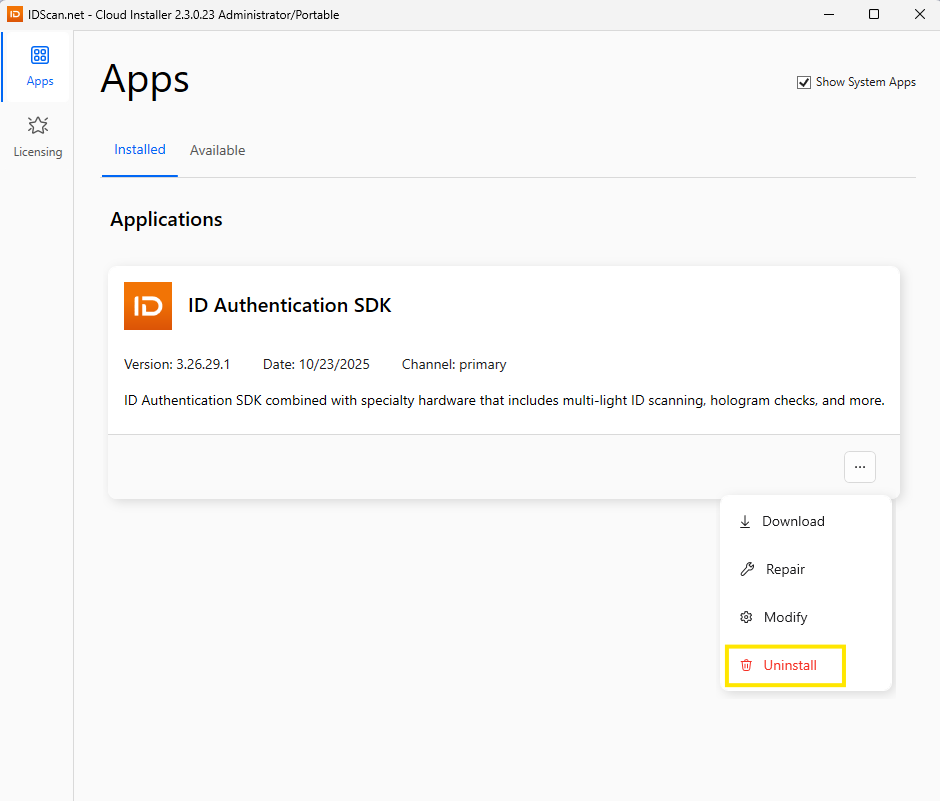
Uninstalling the ASDK Host application can be done through the Cloud installer or through the uninstall command in the CMD installer.`