DIVE Online Web Portal - Domains/Bundles/UI Customization
The DIVE Online platform allows developers to customize the user interface (UI) to match their branding and design preferences. This can be achieved through three sections of the DIVE Online portal.
These sections are Domains , Bundles, and UI Customization.
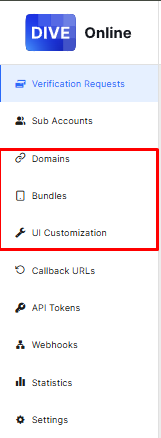
- Domains : For integrators that are utilizing the full embed solution of DIVE Online in a web based application. This utilizes the IDScan.net Wrapper and pulls down the config set in the portal at runtime.
- Bundles : For integrators that are utilizing the full embed solution of DIVE Online in a native iOS/Android application. This utilizes the DIVE Online iOS /Android SDKs and pulls down the config set in the portal at runtime.
- UI Customization : For no code/low code integrators that are utilizing the DIVE Online hosted solution. This allows for customization of the hosted web pages that users will interact with when submitting their documents for processing. This web page is hosted by IDScan.net and does not require any development work to implement.
If the DIVE Online integrators wishes to use more than one of these solutions they will need to configure each section separately as the configurations do not sync between the three sections.
For example, if an integrator fully embed's a web application (Domains) and also uses the hosted solution (UI Customization) they will need to configure both sections separately to ensure the branding is consistent across both solutions.)
Note
Any configurations changes made in the code for Domains or Bundles will override that setting made in the portal.
UI Settings and descriptions for each section are detailed below.